
Smart Appliance Troubleshooting: Common Issues & Quick Fixes for Your Connected Home
Thu Aug 28 2025
- Tips and Maintenance
Smart appliances have changed the way we do laundry, cook, and even monitor our homes. From refrigerators that send alerts to your phone to washers and dryers you can start remotely, smart technology brings new levels of convenience and control. But like all tech, it’s not immune to hiccups.
If your smart appliance isn't connecting or responding, don’t panic. This guide covers the most common smart appliance problems and multiple ways to fix them before calling for service.

General Smart Appliance Troubleshooting Tips
These quick actions can resolve a wide range of issues across all smart appliance types. We suggest trying out these solutions first to see if they solve the issue.
-
Power cycle the appliance: Unplug for one minute and restart.
-
Keep apps, firmware, and phone software up to date.
-
Use the correct mobile app for your brand and model.
-
Stick to the same network during setup (2.4 GHz preferred).
-
Factory reset if all else fails, but make sure you’ve backed up any settings.
Common Issues & Quick Fixes
Below are some of the most common issues with smart appliances and quick fixes that will likely solve your problems.
Why Isn't My Smart Appliance Connecting to Wi-Fi?
One of the most common issues with smart appliances is Wi-Fi connectivity. If your appliance won’t connect or keeps dropping the signal, try the following:
-
Check Wi-Fi signal strength near the appliance. Appliances placed far from your router may experience a poor signal.
-
Restart your Wi-Fi router and power cycle your appliance. Unplug the appliance for 30 seconds and plug it back in.
-
Ensure you are connecting to a 2.4 GHz network. Many smart appliances do not support 5 GHz networks.
-
Reconnect using the brand’s official app, following the setup steps carefully. Clear the app cache if needed.
-
Update your appliance firmware via the app to resolve bugs and improve connectivity.
-
Ensure no MAC address filtering or firewalls are blocking the appliance from your router.
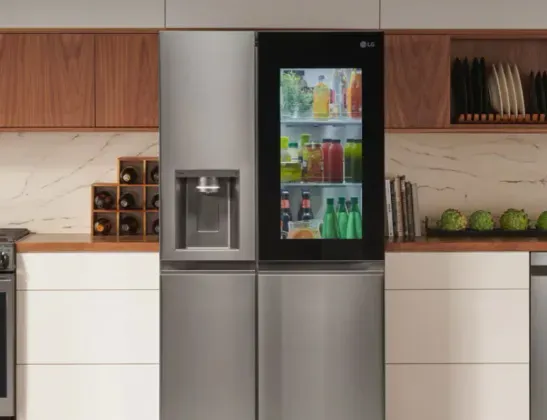
Why Isn't My Smart Refrigerator’s Touchscreen Responding?
A frozen or unresponsive screen on your smart refrigerator can interrupt settings, schedules, and temperature adjustments. Try these fixes:
-
Restart the refrigerator by unplugging it for 30–60 seconds. This often resets the screen.
-
Check for firmware updates in the app or via the screen if responsive.
-
Gently clean the screen with a microfiber cloth and screen-safe cleaner. Dirt or residue can affect responsiveness.
-
Inspect for physical damage. If there are cracks or visible damage, the touch sensors may be affected.
-
Factory reset the appliance. Consult your model’s manual for specific steps.
If none of the above works, reach out to the manufacturer’s support team.
Why Isn’t My Smart Refrigerator Syncing With the App?
Syncing issues are often caused by connection disruptions or outdated software. To troubleshoot:
-
Confirm the appliance is connected to Wi-Fi and shows up in the app’s device list.
-
Force close and relaunch the app, then try syncing again.
-
Update the app and phone software to ensure compatibility.
-
Remove and re-add the appliance in the app.
-
Log out and log back into your account in the app to refresh sync permissions.
Why Am I Not Receiving Smart Appliance Notifications?
If you’re missing alerts, reminders, or cycle complete messages, try the following:
-
Check notification settings in the app and ensure alerts are turned on.
-
Make sure your phone’s operating system allows notifications for the app.
-
Allow background app refresh and disable battery optimization for the app.
-
Ensure your appliance is still connected to Wi-Fi and the cloud server.
-
Reinstall the app if notifications are still not coming through.
Why Is My Smart Washer or Dryer Not Starting Remotely?
If Remote Start on your smart washer or dryer isn’t working, it could be due to user error or system limitations. Troubleshooting steps:
-
Ensure the appliance door is securely shut and latched.
-
Enable Remote Start mode on the washer or dryer before attempting to start the cycle from your app.
-
Confirm Wi-Fi connectivity is stable and that the unit shows as connected in the app.
-
Check for pending firmware updates, which may restrict remote control features.
-
Restart both the appliance and app, then try the process again.
Why Can’t My App Find the Washer or Dryer?
If your appliance isn't discoverable, try:
-
Place your phone near the appliance during setup.
-
Turn Bluetooth on—many apps use Bluetooth during initial pairing.
-
Make sure the appliance is in pairing mode, indicated by a flashing icon or control panel prompt.
-
Reboot your router and the appliance to reset connectivity settings.
-
Clear the app’s cache or reinstall the app to start the setup fresh.
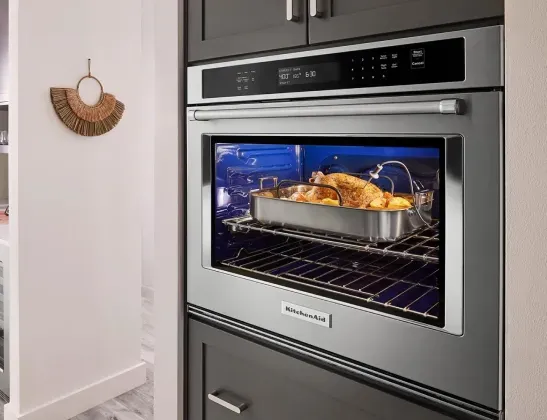
Why Is My Smart Oven Not Connecting to the App?
Smart ovens rely on Wi-Fi for remote access. If your connection isn’t working:
-
Verify you're on a 2.4 GHz network, not a guest or enterprise network.
-
Press and hold the Wi-Fi or Connect button on the appliance to re-enter pairing mode.
-
Reconnect the oven using the brand’s official app, carefully following the steps.
-
Update both the app and appliance firmware to rule out software bugs.
-
Temporarily disable firewalls or MAC address filtering that could block the connection.
Why Won’t My Smart Oven Start Remotely?
Remote start on smart ovens is often limited for safety reasons. Here’s what to check:
-
Ensure the oven door is completely closed and nothing is obstructing the latch.
-
Confirm child lock or Sabbath mode is not enabled, as these features block remote control.
-
Double-check time zone and settings in your app and oven’s control panel.
Why Won’t My Smart Dishwasher Start or Connect?
Smart dishwashers can also run into issues. If your dishwasher won’t start or connect, try the following:
-
Ensure the door is fully closed and latched. Some models won’t start if the door isn’t properly secured.
-
Check if Control Lock or Delay Start is enabled, which may block normal operation.
-
Power cycle the unit by unplugging it or switching off the breaker for 1 minute.
-
Use the brand’s app to reconnect Wi-Fi, making sure to follow the setup steps exactly.
-
Look for error codes on the control panel that might indicate other underlying problems.
Why Isn’t My Smart Dishwasher Sending Notifications?
If you’re not getting cycle updates or alerts:
-
Ensure the dishwasher is connected to Wi-Fi and is syncing with the app.
-
Enable notifications in the mobile app settings.
-
Allow the app to run in the background on your smartphone.
-
Check your phone’s notification permissions and battery optimization settings.
When to Call for Service
If you’ve tried everything and your appliance still isn’t working, it may be time to bring in the experts. You can rely on DeWaard & Bode’s factory-certified technicians for fast, professional service. Serving Whatcom and Skagit counties, our team is experienced with all major brands and offers repairs and maintenance for refrigerators, dishwashers, washers, dryers, and more.
We pride ourselves on providing a seamless, hassle-free experience and keeping your appliances in peak condition. Learn more or request service if you’re experiencing any of the following:
-
Frequent disconnections
-
Failed firmware updates
-
Unresponsive control panels
-
Hardware malfunctions or error codes
Need Help Choosing a Smart Appliance That Fits Your Life?
At DeWaard & Bode, we carry the latest smart washers, dryers, ovens, refrigerators, dishwashers, and more, plus the expert guidance to help you choose the right features and avoid common frustrations. We also offer delivery and installation services to ensure your complete care throughout the entire process.
Visit our appliance stores in Bellingham and Burlington, Washington, or explore smart appliance options online anytime.
Related readings from our blog:
FAQ: Smart Appliances
Do smart appliances work without Wi-Fi?
Yes, they can function like standard appliances, but you’ll lose remote control, notifications, and other connected features.
Why do smart appliances need firmware updates?
Firmware updates fix bugs, improve performance, and sometimes add new features to your appliance.
How secure are smart appliances?
Most reputable brands use encryption and security measures, but it’s still important to use strong passwords and keep software updated.
Can I connect all my smart appliances to the same app?
Some brands offer all-in-one apps for their products, but cross-brand integration usually requires a smart home hub or platforms like Alexa, Google Home, or Apple HomeKit.
Related Articles